
Download Currents – Free Google Collaboration App for Enterprise Teams
Overview
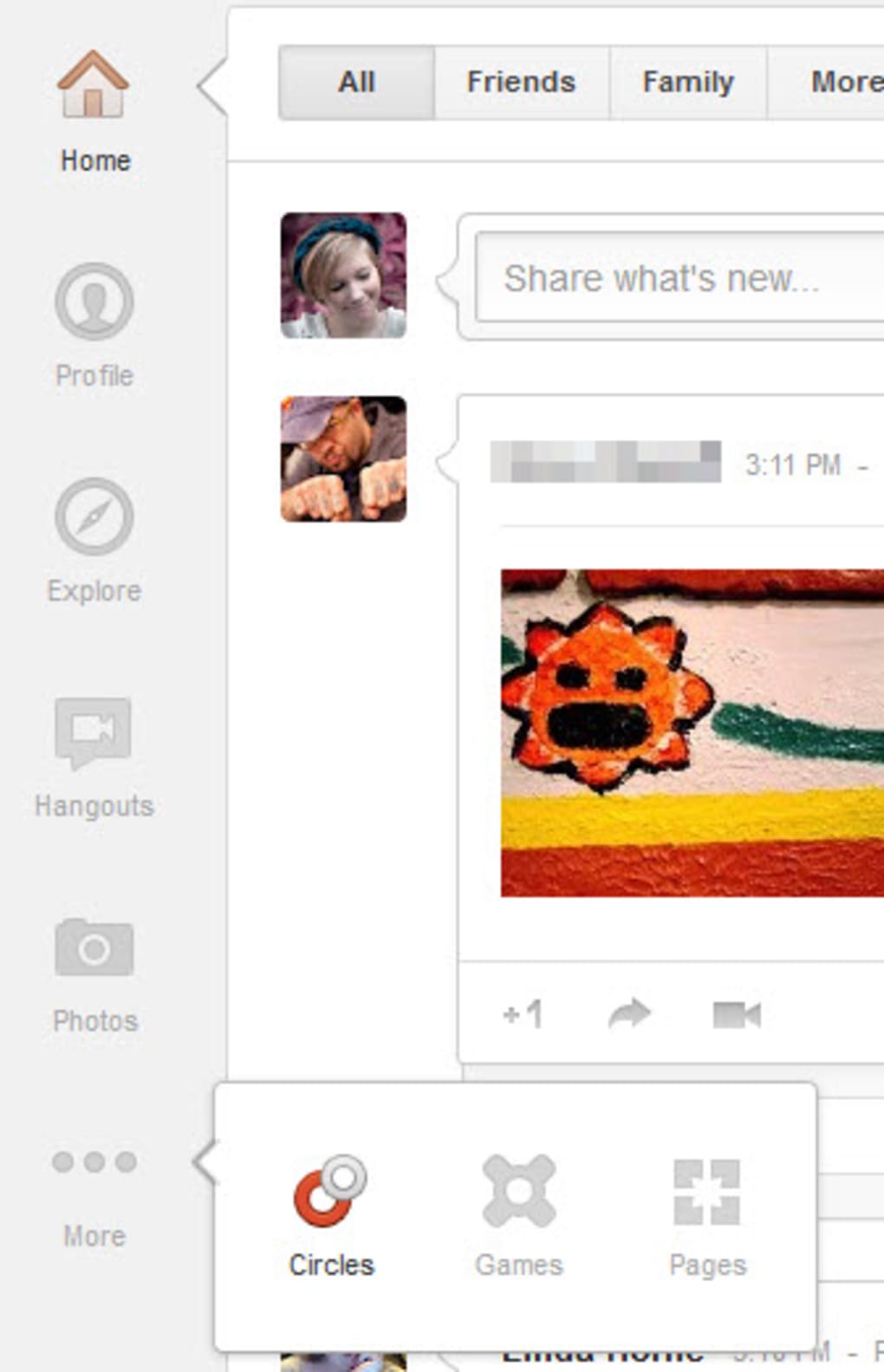
Google Currents is a free, secure collaboration app designed exclusively for G Suite (now Google Workspace) customers. Built as the corporate successor to the consumer‑focused Google+, Currents offers a streamlined environment where employees can share ideas, discuss projects, and distribute important announcements without clogging their email inboxes. The platform is hosted in the cloud, meaning it works equally well from a desktop computer in the office or from a mobile device on the go.
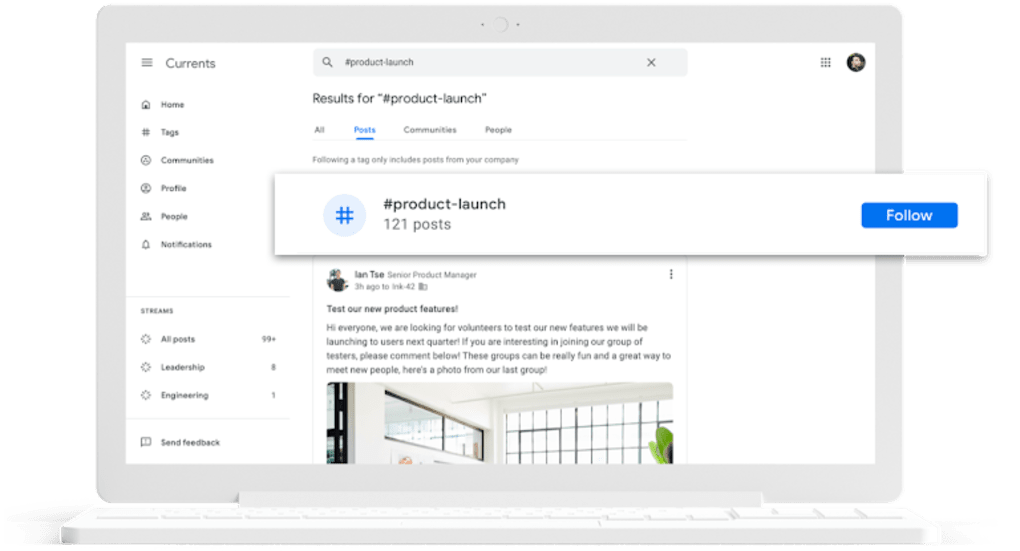
Its clean, white‑dominant interface emphasizes readability and speed, allowing users to post updates, attach documents, and tag colleagues with just a few taps. What sets Currents apart from traditional messaging tools is its “home stream” – a dynamic feed that automatically orders posts by relevance, ensuring that high‑impact messages from leadership or time‑sensitive updates stay at the top of the conversation. Administrators also benefit from built‑in analytics that track views, likes, comments, and shares, giving insight into employee engagement and helping to shape future communication strategies.
While Currents is only available to organizations that subscribe to Google Workspace, its zero‑cost pricing model (the app itself is free) makes it an attractive addition to any enterprise tech stack. Whether you’re a small startup looking to replace endless email threads or a large corporation aiming to foster a more connected culture, Currents provides a modern, searchable, and organized hub for internal dialogue.
Core Features & Benefits
- Relevance‑Based Home Stream: AI‑driven ranking surfaces the most important posts first, reducing information overload.
- Tagging & Follow System: Users can tag individuals, departments, or custom topics and follow tags to stay updated on specific subjects.
- Rich Media Attachments: Seamlessly attach Google Docs, Sheets, Slides, PDFs, images, and videos directly to posts.
- Leadership Prioritization: Executives can mark announcements as “high priority,” guaranteeing visibility across the organization.
- Search & Filters: Powerful search functionality lets users locate past discussions, documents, or tagged content in seconds.
- Engagement Analytics: Built‑in metrics display post reach, likes, comments, and reshares, enabling data‑driven communication strategies.
- Mobile‑First Experience: Native Android and iOS apps provide push notifications, offline draft support, and a responsive UI.
- Integration with Google Workspace: Currents works natively with Gmail, Calendar, Drive, and Meet, creating a unified productivity ecosystem.
- Wellness & Culture Modules: Fun features such as “Pet of the Week” and wellness tips encourage informal interaction and strengthen company culture.
- Secure, Enterprise‑Grade Hosting: Data is stored on Google’s highly secure servers, complying with GDPR, ISO‑27001, and other industry standards.
These features collectively transform Currents into more than just a discussion board; it becomes a strategic communication platform that aligns teams, surfaces critical information, and nurtures a collaborative culture. By reducing reliance on email chains and offering real‑time feedback loops, the app helps organizations accelerate decision‑making and improve overall productivity. Moreover, the analytics dashboard equips leaders with actionable insights—identifying which topics spark the most conversation, which departments are most engaged, and where communication gaps may exist. This data can guide future internal campaigns, training initiatives, or policy updates, making Currents an indispensable tool for modern enterprises seeking to stay agile and informed.
Getting Started – Installation, Setup, and Compatibility
Installation Process
Installing Google Currents is straightforward for any Google Workspace subscriber. Begin by navigating to the Google Workspace Marketplace, searching for “Currents,” and clicking the “Install” button. The installation wizard will request admin approval; once granted, the app is automatically added to the organization’s app roster.
For desktop users, Currents is accessed via a web browser at currents.google.com, eliminating the need for any local software download. Mobile users can download the native app from the Google Play Store (Android) or the Apple App Store (iOS). After installation, users sign in using their existing Google Workspace credentials, ensuring a seamless single sign‑on (SSO) experience.
Initial Configuration
Once logged in, administrators can configure global settings from the Admin console. Options include enabling or disabling post analytics, setting default visibility for new posts, establishing tag hierarchies, and defining leadership prioritization rules. Organizations may also integrate Currents with existing Single Sign‑On providers (SAML, OAuth) for enhanced security. End‑users can personalize their profile, set notification preferences, and organize their home stream by pinning favorite tags or following specific colleagues.
Compatibility Details
Currents is a web‑based SaaS solution, meaning it runs on any modern operating system with a compatible browser. Officially supported browsers include Google Chrome, Mozilla Firefox, Microsoft Edge, and Safari (latest versions). For mobile platforms, Currents supports Android 8.0+ and iOS 13+.
Because the app is cloud‑hosted, there is no need for Windows, macOS, or Linux installations; all devices simply need internet access. The platform also respects corporate firewalls and proxy configurations, making it suitable for highly regulated environments. Additionally, Currents adheres to Google’s security standards, offering data encryption in transit (TLS) and at rest, as well as granular admin controls for data retention and e‑Discovery.
After the initial rollout, it’s recommended to run a brief pilot with a cross‑functional team to gather feedback on notification settings, tag structures, and post formats. This iterative approach helps fine‑tune the user experience before a company‑wide launch, ensuring maximum adoption and minimal disruption to existing workflows.
Pros, Cons, and Frequently Asked Questions
Pros
- Free for all Google Workspace customers – no additional licensing costs.
- AI‑driven relevance algorithm keeps important content front‑and‑center.
- Tight integration with Google Docs, Drive, Meet, and Calendar.
- Robust analytics give insight into employee engagement.
- Native mobile apps provide push notifications and offline drafting.
- Enterprise‑grade security and compliance with major standards.
Cons
- Only available to organizations with a Google Workspace subscription.
- Limited customization of UI compared to some third‑party intranet tools.
- Advanced analytics may require additional Google Workspace add‑ons for deep reporting.
- No built‑in video conferencing; relies on separate Google Meet integration.
- Search relevance may need manual tag refinement during early adoption.
FAQ – Your Most Common Questions
Is Google Currents really free for all Workspace users?
Yes. Currents is included at no extra charge for any Google Workspace (formerly G Suite) plan. Organizations only need an active subscription to access the app.
Can I use Currents on a personal Google account?
No. Currents is restricted to enterprise accounts managed by a Google Workspace admin. Personal Gmail accounts cannot install or access the app.
How does Currents ensure data security?
All data is encrypted in transit using TLS and at rest on Google’s secure data centers. The platform complies with GDPR, ISO‑27001, SOC 2, and other industry certifications, and administrators can enforce SSO, MFA, and data‑loss‑prevention policies.
Can I integrate Currents with third‑party tools?
Currents offers REST APIs and supports Google Workspace Add‑Ons, allowing limited integration with third‑party services such as Slack, Microsoft Teams, or custom dashboards. Full‑scale integration may require development effort.
What analytics are available to track engagement?
Admins can view metrics like post impressions, unique viewers, likes, comments, and reshared counts. The dashboard also highlights top contributors and trending tags, helping leaders gauge the health of internal communications.
Conclusion & Call to Action
Google Currents stands out as a modern, free, and secure collaboration platform tailored for organizations that already rely on Google Workspace. Its relevance‑driven feed, seamless integration with familiar Google tools, and built‑in analytics make it a compelling alternative to fragmented email chains and outdated intranet solutions. While the requirement for a Workspace subscription limits its reach to enterprises, the lack of additional licensing fees and the ease of deployment offset this constraint for most businesses. By centralizing discussions, prioritizing leadership communications, and offering a mobile‑first experience, Currents helps teams stay informed, engaged, and productive—whether they’re in the office, working remotely, or traveling between sites.
Ready to streamline your internal communications? Download Google Currents today from the Google Workspace Marketplace, follow the quick installation guide above, and start building a more connected workplace tomorrow. For administrators, explore the admin console to customize settings, enable analytics, and set up priority announcements. For end‑users, dive into the home stream, follow the tags that matter to you, and begin sharing ideas that drive innovation across your organization.
Currents offers a solid, free solution for internal collaboration with excellent integration into the Google ecosystem. Its relevance‑based feed and analytics are standout features, though organizations seeking deep UI customization may look elsewhere. Overall, a strong recommendation for any Google Workspace customer.



.png)



